Showing posts with label esafety. Show all posts

Tuesday, 5 February 2013

LGFL eSafety Survey - initial findings

Over the last couple of months schools across Redbridge have taken part in the LGfL eSafety survey 2013.  To date over 10,000 students have responded.  LGFL launched their interim report (which includes analysis of 8482 pupils responses) today - on Safer Internet Day
Some statements from the report include:
  • Facebook usage increases rapidly in Year 9 but over half of the students who identified Facebook as a favourite site were under 13 (the minimum age for Facebook sign-up).

Friday, 11 January 2013

5 questions you should ask your students

Leading a Student Home Access audit

Do you know what your students’ know about technology? Really know? Of course you might know about what you have taught them in ICT lessons – that they are capable of creating a spreadsheet that draws a complex (and colourful) pivot-graph about how your class travels to school or that they can animate plasticine with ease. But what do they do when they are not at school?

A student access survey should ideally be conducted annually and can focus on a stratified sample of students. The results will help you plan your ICT curriculum (especially important in the current environment); plan your whole-school online learning strategy and also ensure your eSafety education focuses on the issues that are relevant for your students.

Thursday, 27 January 2011

eSafety ideas for schools


As promised the Redbridge LSCB eSafety subgroup have compiled a set of eSafety ideas to start the thinking going in preparation for Safer Internet Day 2011 - 8th February. Whatever age group you work with, from KS1 to KS5 here are some discussion starters, assembly ideas, lesson activities, competitions and even links to age-appropriate posters.

All the resources are available from weblinks given within the document, although some interactive resources will only work for London schools. This document is not a comprehensive list of everything, rather a start point for teachers thinking and planning for eSafety lessons.

SID2011 - School Planning


Ofsted say that in outstanding schools "In the five schools where provision for e-safety was outstanding, all the staff, including members of the wider workforce, shared responsibility for it. Assemblies, tutorial time, personal, social, health and education lessons, and an age-appropriate curriculum for e-safety all helped pupils to become safe and responsible users of new technologies."

Get everyone involved, be creative and get the message heard.

Alex Rees
alex.rees@redbridge.gov.uk

Tuesday, 18 January 2011

eSafety information direct to your MLE

There are various eSafety feeds available to access. Redbridge has its own one running for this half term in preparation for Safer Internet Day on 8th Feb. It will be updated at least 3 times a day over the next few weeks allowing eSafety messages and discussion starters to filter out during this period.

The information feed is managed through the social networking system Twitter and is available to see by going to www.twitter.com/LBR_eSafety. Twitter limits information to 140 characters and so this is just long enough to give an interesting fact, signpost a useful resource or some interesting research and give the web link. Take a look at the feed to get an idea of the sort of information. (Web links are often given in their smallest possible format – e.g. http://ow.ly/3F1MU - as defined by the Twitter website being used and the code #SID2011 is used to label this piece of information as related to Safer Internet Day 2011.)

We recommend you add the feed to your online staffrooms, or with older students you may like to add it directly to PSHE pages that they access to start discussions. If you use twitter yourself you may like to ‘Follow’ the username @LBR_eSafety to get updates to your own account.

A quick 'how to’ guide if you are using Fronter

To link this feed into Fronter you need the ‘RSS feed’ code:
https://twitter.com/statuses/user_timeline/239332819.rss

1. Go to the page where you want to the information feed to appear and add a container onto the page.

2. From the list of possible things to include in your page you will see “Inset Dynamic Today Element”. If you select this one of your options will be for an ‘RSS feed’.

3. This will add a section onto your web page for RSS feeds. You now need to click “Edit RSS Feed” which will take you to a screen where you can “Add RSS feed”.

4. Copy the RSS feed code above into the box labelled “Url to RSS”, choose a number of articles to display (e.g. 8) and don’t worry about displaying the abstract. Save your changes by clicking Save.

5. Now return to your page and you should see a set of information articles appear signposting interesting eSafety information or resources.

Last note
If you work in a Redbridge school and would like us to add the RSS feed to your online staffroom please get in touch and one of us may be able to do this for you.

Alex Rees

Friday, 15 October 2010

Course info: eSafety awareness

On the http://www.redbridgepdc.org.uk/ website listing this course is repeated on three mornings this academic year:
  • Wednesday - 1st December
  • Tuesday - 1st March
  • Tuesday - 14th June
The course is being coordinated by the Local Safeguarding Children's Board enabling education and non-education professionals to attend together. To book on this course you need to use this link to the Redbridge i LSCB training catalogue, and complete this nomination form to register on the course entitled: "Safeguarding Children in a Digital World:e-Safety & Cyberbullying".

The "Safeguarding Children in a Digital World" course is ideal for eSafety Coordinators in schools or other organisations to give a strong grounding in all the key eSafety issues.
On the afternoon of each of these days there will be the opportunity to stay on and formally do the Child Exploitation and Online Protection training, which allows you to use police made education resources with young people. The course is entitled "Half day CEOP Thinkuknow Training Course". It is a requirement of the police that all who attend this course must be able to present a valid CRB form or a warrant card, and current id with a photograph on it.


For further information about these courses please follow the links above, contact the LSCB directly or get in touch with me on the email address below.

Alex Rees


Wednesday, 21 July 2010

Facebook advice for parents and young people

Several schools have requested a simple guide-sheet that can be given to parents to enable them to have an informed conversation with their children about their Facebook settings. The first version of that guidance is available here.


Please feel free to distribute to parents if you feel it is relevant in your school. Remembering that it is not meant to be an exhaustive "how to..." but it is meant to ensure the parents have an informed discussion with their children, knowing the sorts of settings that can be changed.

If you are a Redbridge school and would like the original document to customise to suit your own school, or you would like to offer some comments on how this guidance should be adjusted, please get in touch.

Alex Rees
alex.rees@redbridge.gov.uk

Tuesday, 6 July 2010

Help - there are videos of our students on Youtube!

A number of schools have discovered parents busily uploading their memories of children's sports days and school performances up onto the video sharing site: youtube.com. Such videos containing other students can be cause for concern, both to the school and to other parents.


What can be done now that it has happened?

Firstly the school unfortunately has little right of recourse with youtube if you want to remove footage of school events that includes your students, unless the footage for some other reason breaks youtube's Community Guidelines.

However, the students are data subjects, and under the data protection act youtube will remove footage of identifiable children upon their parent's request. On the youtube site there is a Privacy Complaint Report that parents of other children in the footage can use to get videos removed.


How can I prevent the situation from occuring in my school?

Your school policy could outline that footage of school events can be used for personal memories, but must not published onto any public area of the internet, including social networking sites. A reminder of this policy can be put at the bottom of programmes for events. (If you are particularly concerned you could ban parents from using cameras completely but this might be detrimental to parents enjoying and celebrating their child's achievements.)


As with many eSafety concerns the easiest way to remove any content from the internet is always to ask the person who uploaded it to delete it. They will often comply when they realise that it breaches your own safeguarding rules. Most schools ask permission from parents on an annual basis before using their children's images on publicity, prospectuses or any other public material. Given that you have taken care with their child's privacy, most parents will agree to show similar care.


Alex Rees
alex.rees@redbridge.gov.uk

Thursday, 10 June 2010

One week to take part in the big consultation

The Redbridge 2010 eSafety Survey

"The rapid growth of the internet and a wide range of personal communication technologies is both exciting in their potential use for building learning and community networking opportunities and concerning in the myriad of new ways for our children to encounter new dangers. Children and young people need to be protected from these risks where possible and need to be educated and supported to develop the skills to keep themselves safe when using technology."

These lines are taken from the opening paragraph of the recently released Redbridge eSafety strategy. The child protection staff within your schools have been briefed on the strategy, the Local Safeguarding Children's Board have endorsed it and set up an eSafety sub-group to action it and all Head Teachers will receive a briefing on the 30th June. As the strategy is enacted there are many things the borough's eSafety team will provide to ensure your school is meeting or exceeding the safeguarding expectation.

Initially we would like you to get involved in the following: The Redbridge 2010 eSafety Survey

The Redbridge eSafety team would like to have a true snapshot of the eSafety landscape here in Redbridge. We would also like to provide for you an outline of the eSafety landscape within your school. An online survey has been set up which we would like at least one class from each key stage from each school to complete. Please email me directly to get access to the survey.

It is intended that students from Key Stage 2 upwards complete the survey although you may want to support younger children to complete it too. It takes about 7-10 minutes to complete, although younger children may take longer. You may like to use it at the beginning or the end of an ICT or PSHE lesson and it will undoubtedly stimulate some interesting discussions.

We will feed back to you the results summarised across the borough and also individually for your school. To do this we would like all surveys to be completed by the end of the school day on the 18th June. Obviously the more children you get involved from your school the more accurate a statistical picture you will have. The immediate results of this survey we will outline back to schools by the end of the month, and a more detailed analysis for your school will be sent to your school by the end of the term.

Thank you very much for getting your students involved in this initiative. We look forward to serve you pragmatically and effectively in ensuring our children across Redbridge are kept safe online.


Alex Rees
alex.rees@redbridge.gov.uk

Thursday, 6 May 2010

Facebook concerns in Primary Schools

We are aware that recently primary schools have become increasingly concerned with the use of the Facebook social networking site amongst their students. Every anonymous survey conducted by staff within our primary schools consistently shows that students (mostly KS2 although not always) are setting up Facebook profiles to keep in touch with their friends. If your school has become concerned about this then this article suggests the steps you could take.


Remove the usernames if necessary

Very simply Facebook does not allow under 13’s. The difficulty is in removing their online profiles once they have been made.

Facebook has a “Report and Underage User” form . However you have to know the profile address of the child you are concerned about. These profiles are of the format http://www.facebook.com/profile.php?id=123456789 and whilst a search within Facebook may give you a profile address for a given name (e.g. John Smith) their directory listing may not be enough to ensure you have the right profile (e.g. children often use a fake photo when making the profile to appear older).

Since you must be logged into Facebook to either search for profiles or to remove profiles this is a time-consuming course of action unless you have a specific reason to do this for a particular child or group of children. It is however a more realistic thing to ask parents or children to do following the appropriate eSafety lesson or presentation. It is always easier for a child to remove their own profile with their parents help than it is for a parent/teacher to put a formal request through Facebook.


Review your eSafety strategy

A good eSafety strategy involves a 3-pronged attack: Policies, Infrastructure and Education.

1. Ensure you have appropriate POLICIES to encourage correct behaviours and actions. Policies should encourage the correct preventative behaviours and also appropriate responsive behaviours should an issue arise. The key policy to have in place is a good “Acceptable Use Policy” explaining what staff and students can use school technologies for. Ideally this should be signed by staff and students’ parents so that the expectation is very clear. Other related policies that should reference eSafety appropriately include a school’s “Anti-bullying policy”together with the general “Safeguarding policy”. For further advice on drawing up these policies: http://www.nextgenerationlearning.org.uk/safeguarding-learners/Case-studies/Acceptable-use-policies/

2. Review your technical INFRASTRUCTURE to ensure your systems enable students and staff to access and use web sites that you are comfortable with. A website filtering system can be reinforced by using monitoring software that will ensure that worrying actions can be picked up. Whilst monitoring systems can appear to be a bit ‘big brother’, often the installation of such systems can generate significant eSafety discussions within the school and then the software acts as a deterrent from thereon. All Redbridge schools automatically have access to LGFL web filtering to remove inappropriate content coming in, and LGFL has recommended Policy Central monitoring systems which schools can purchase (http://www.forensicsoftware.co.uk/) to ensure that systems are being used appropriately.

3. Have a strong EDUCATION programme. Whilst the first two points focus on ensuring that children and staff are safe within the school, the majority of internet usage by young people happens outside the school, and increasingly using mobile devices. Ofsted have reported that “where provision for e-safety was outstanding, all the staff, including members of the wider workforce, shared responsibility for it. Assemblies, tutorial time, personal, social, health and education lessons, and an age-appropriate curriculum for e-safety all helped pupils to become safe and responsible users of new technologies”. A good eSafety strategy is far more about strong education than it is about the previous two points. For more details on the Ofsted eSafety report please see: http://redbridgeictsubjectleaders.blogspot.com/2010/02/ofsteds-official-view-on-esafety.html


Advise the parents

If Facebook (or equivalent systems) are becoming an issue in your school you may choose to write directly to the parents. In this situation consider saying the following:
  1. New technologies and the internet are tremendously useful tools to support children’s learning. There is a wide range of good quality websites designed to support learning such as your Fronter learning platform, and BBC Learning. We emphatically promote good use of technology at school and at home.
  2. Whilst children want to communicate with their friends outside school Facebook is an inappropriate place for young people to socialise. Facebook’s terms and conditions states in their “Statement of Rights and Responsibilities” that “You will not use Facebook if you are under 13.” (Section 4:5). It is your responsibility as parents to ensure your children do not use it.
  3. There are age appropriate websites that young people may more safely use for social networking (e.g. http://www.superclubsplus.com/ and http://www.clubpenguin.co.uk/ . As a school we recognise that whilst the Internet is a great tool, it is not the only place to socialise and learn new things. As a parent it is your responsibility to ensure your child has an appropriate balance between screen and non-screen time.
  4. The next eSafety event to be held at the school will be on XYZ date. We will look at some of the technologies available to our children today and how we as parents can ensure our children have a good experience of technology without encountering the dangers.
  5. We recommend that you discuss your child’s use of the internet regularly and if there are issues raised that you need further guidance on look at the childnet website (http://www.childnet.com/kia/parents/) or come in and talk to Miss ABC, who is the senior member of staff overseeing our own eSafety strategy.

As a school you may also need to refer to the incident that raised your concerns initially but the above 5 points are nearly always relevant to communicate to parents. (It is also possible to order the Childnet material on a CD free of charge for distribution to parents. To order ring 0845 60 222 60 quoting reference 00308-2007CD0-EN. )


If you work within a Redbridge school and you have a more specific eSafety discussion you would like to have with a member of the School Improvement Team please do get in touch.

Alex Rees
Alex.rees@redbridge.gov.uk

Monday, 22 February 2010

Ofsted's official view on eSafety

Ofsted has recently reviewed eSafety in schools across the UK and (as is their particular skill) they have published a report. The first key finding they list is "In the five schools where provision for e-safety was outstanding, all the staff, including members of the wider workforce, shared responsibility for it. Assemblies, tutorial time, personal, social, health and education lessons, and an age-appropriate curriculum for e-safety all helped pupils to become safe and responsible users of new technologies."


There are many other findings worth reading through if you are the member of the senior management team responsible for eSafety. Their key recommendations for schools are:


  • audit the training needs of all staff and provide training to improve their
    knowledge of and expertise in the safe and appropriate use of new
    technologies

  • work closely with all families to help them ensure that their children use new
    technologies safely and responsibly both at home and at school

  • use pupils’ and families’ views more often to develop e-safety strategies

  • manage the transition from locked down systems to more managed systems
    to help pupils understand how to manage risk; to provide them with richer
    learning experiences; and to bridge the gap between systems at school and
    the more open systems outside school

  • provide an age-related, comprehensive curriculum for e-safety which
    enables pupils to become safe and responsible users of new technologies

  • work with their partners and other providers to ensure that pupils who
    receive part of their education away from school are e-safe

  • systematically review and develop their e-safety procedures, including
    training, to ensure that they have a positive impact on pupils’ knowledge
    and understanding.

The full report is available here:
http://www.ofsted.gov.uk/content/download/10750/128225/file/The%20safe%20use%20of%20new%20technologies.pdf


You may like to send this link on to the relevant senior manager within your school. If you are a Redbridge school and have questions directly related to your school please get in touch I can link you in with the borough's eSafety Officer.


Alex Rees
alex.rees@redbridge.gov.uk


Monday, 15 February 2010

Becta's Latest News and features

Becta's news is available on the Schools website.

Home access takes off...
Equipping our current and future generations with the necessary skills to compete in a digital world is crucial to our future. Through innovative programs such as Home Access, Becta is driving this development. Find out more about applying for the Home Access grant and take a look at some case study stories.

Get the bigger picture
How committed are you to ICT? Take our 30 minute survey and discover the impact that ICT is having in your school.

Has your school signed up to the Next Generation Learning Charter?
A booklet outlining the features and benefits of the Charter and the four stage journey towards effective use of technology is now available for schools. You can order or download the publication here. A map is also available which shows all schools on the Charter and the level they have achieved.

Upcoming improvements to the Self-review framework
We have been working on improvements to the Self-review framework which will be implemented this Spring.

Digital literacy: teaching critical thinking
This new publication aims to help teachers to teach the skills, knowledge and understanding that young people need to participate fully and safely in an increasingly digital world. The publication is accompanied by a planning tool which will help you to incorporate digital literacy into your teaching.

New secondary resource for online reporting
This booklet and interactive DVD provides substantial information around the online reporting agenda as an aid to secondary schools to help them meet the expectation of implementing online reporting to parents and carers by September 2010.

Get started with your learning platform
Used effectively, learning platforms open up learning opportunities for all pupils in school and extend learning outside the classroom and school. This publication presents the key steps to a whole school approach to learning platforms.

Are you a 21st century teacher?
Newly published ‘The 21st century teacher’ booklet is designed to help teachers develop their professional use of technology. You can also find links to helpful resources and an online self review checklist on our website.

Narrowing the gap
This report and accompanying videos focus on exploring the ways technology can support approaches to ‘narrowing the gap’ for low and underachieving learners in secondary schools.

2010 ICT Excellence Awards now open!
The 2010 awards are now open for entries until 24 March 2010. To enter your school, please complete our online application form.

Management information systems market review
Modern schools require sophisticated Information Management solutions to address ICT issues. We are conducting a review which will enable us to issue guidance on management information systems.

Procurement framework consultation
Over the past year, we have been looking at the best ways to allow you to put ICT services in place in a way which will support cash savings, efficiency and save staff time. Find out how you can input into the scope of this procurement frameworks consultation.

Becta launches new NVQs
We have launched the Framework for ICT Technical Support (FITS), providing National Vocational Qualifications (NVQs) to IT technicians in schools.

Monday, 18 January 2010

Plan now for the 2010 "Safer Internet Day" - Tuesday 9th February

Safer Internet Day is a European-wide initiative and is the one day in the calendar that will give a focus to internet safety issues. There are a range activities taking place across the week between Monday 8th – Friday 12th February that can raise awareness of how to protect young people online. The Child Exploitation and Online Protection (CEOP) Centre have launched a micro-site at www.thinkuknow.co.uk/saferinternetdayuk which has been designed to give teachers, parents and child protection professionals some ideas and suggestions about how to get involved. The other significant place to go for excellent eSafety resources is Childnet - http://www.childnet-int.org/ - and 10 minutes spent on this site will give you excellent ideas for eSafety assemblies, classroom activities and discussions for all subject areas.

What can you do?

You can help raise awareness of online safety issues in your community and here are a few suggestions and ideas from CEOP to get you thinking...

If you need support in planning or running an event for parents, do get in touch. Otherwise make use of the resources available from the links above and consider putting the following link http://www.ceop.gov.uk/reportabuse/ on both your website and learning platform for all students to have easy access to.

Alex Rees
alex.rees@redbridge.gov.uk

Monday, 11 May 2009

Managing Your Media- for parents

Thank you to Safetynet for the following Information;

To support Adult Learners' Week<http://www.adultlearnersweek.co.uk/> (9-15 May) Ofcom has today published the first in a series of Managing Your Media guides designed to promote media literacy across the UK.

Available as a video and downloadable guide, this resource is intended to show parents and guardians how to use parental controls and filters to manage their children's access to digital TV and internet content. The guide also encourages parents and guardians to talk to their children about what they do on the internet and how to use it safely.

Ofcom research found that 57 per cent of children aged 8-15 mostly watch TV without an adult in the room. Similarly, half of all children aged 8-11 and two-thirds of those aged 12-15 mostly use the internet without an adult present.

The video and guide can be found at http://www.ofcom.org.uk/advice/guides/media/media/

This may be a link to add to your Fronter parents area/ blog or website

Saturday, 8 November 2008

ICT Update - IWB Science, Display Pictures, Childnet CDS for Parents

Wrapping Paper made with 2Paint a Picture

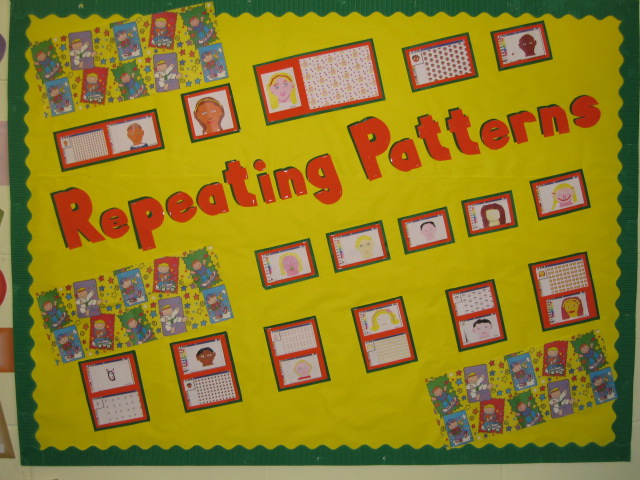
Repeating Patterns Work from Y3/4 @ Fullwood Primary- Well Done Class 6


Welcome to this weeks ICT update.

This began as a shorter than usual update, but once again I have found the world of ICT is rarely dull and never stands still and so here is another bumper pack of news,links and resources.

In this issue:


  • Science and the Whiteboard

  • CD ROMS for Parents - get them while you can!

  • Next Generation Learning

  • Christmas Activities

  • ICT Week @ Churchfields Infants

  • Anything to Share


Science Clips for the Whiteboard


Teachers TV, have recently added Science Clips to their stock of video shorts that already exist for both Literacy and Numeracy. These short clips provide a hook/ way in for lesson on themes such as 'Solids,Liquids and Gases', Sound and Habitats. The clips can be streamed directly from Teachers TV or downloaded, provided you have a Teachers TV account!


And..


If your school blogs, or uses a web authoring package like Dreamweaver, you might also consider encouraging teachers to embed Bytesize resources from the BBC into their pages. This is very easily done, and I know that Christchurch Primary did this in Year Six last year as a way of assissting children in their revision. All that is needed is to copy the embed code underneath the activity and paste it into the website or blog, when in 'Edit html' view


CD Roms for parents - get them while you can


During some of my recent ESafety events for schools, I have given out copies of the very informative 'Know it All for Parents' from Childnet. This resource explains in plain english how parents can help their children to use the internet and stay safe online, and includes technical tips like how to check internet history. 'Know it All' has recently been updated and is available free for schools, if they require.....sorry I can not bulk order for everyone, I did try.

In a recent post on Safetynet, Stephen Carrick Davies had this to say:

I am delighted to announce that with the support from BECTA and the DCSFa further half a million copies of 'KNOW IT ALL FOR PARENTS' CD Roms have been duplicated and are ready for schools to order free of charge from today.

See news announcement at http://www.childnet.com/news/articles/091008.html The new version includes updated sections on Cyberbullying, SocialNetworking and a short overview on 'Where to Report'. As with the earlier version, all the content is presented in video format with links to wider resources and pdf leaflets which parents and teachers can download from the disc.

We have also added Welsh to the translations of the overview section (now in 10 languages) The SMART content aimed atprimary school aged children is also now in British Sign Language. All this content has also been updated on the Childnet.com website see http://www.childnet.com/kia/parents/cd/


If you have any questions about ordering please email the Childnet team at info at childnet.com

Next Generation Learning


Officially launched last week is BECTAs Next Geneartion Learning campaign and its associated website. It is fantastic looking site, which will give simple explanations of school technologies, while pointing out the benefits of using and embedding this stuff in your school. It could prove a great resource for parents, heads and ICT coordinators.

My favourite area is the benefits section ,here we are reminded that:

  • Schools that use technology well across the curriculum and wider school life have reduced absence rates and achieve a higher percentage of A*-C grades at GCSE.

  • Pupils studying Key Stage 2 Maths, Science and English in schools which make the best use of ICT, improve at twice the rate of the national average.

  • When young people use technology to support their learning at home they do better in national tests.


I am slightly ambivalent about the front page -'Take the Test' area- here teachers or parents can input their postcode, or their schools postcode and find out whether their 'child’s school is geared up for Next Generation Learning?'. This allows you to find out whether your school has achieved ICT Mark status. I inputted my postcode and found that my local school was not 'geared up for Next Geneartion Learning'. I got thie message:


Unfortunately, there are no schools within the post code area IG3 that have achieved the ICT mark accreditation


Christmas Activities


Iboard resources for Christmas can be accessed via the LGFL content grid, but for speed and for those outside London, click on the link below


ICT Week @ Churchfields Infants

Before Half Term Churchfields Infants held a very successful and creative ICT week. I was lucky enought to be in the school after the event and nab a few pictures and discuss with the teachers what had gone on.


Pictured above are just some of the resources that the school uses to teach ICT in Foundation and above, proving once again that ICT is not just about computers.


Beebot jacket - pupils in Nursery made jackets for their Beebots. This is a great activity and far cheaper than buying the customised Beebot skins from TTs. If you want to make your own, or rather make them with the children, then see the templates on the Kent resource page on Beebots, here


Children also worked in groups to create their own adventure mats for the little yellow fellow to negotiate.


Finally the images below where taken in the school hall, where you can clearly see the progression in ICT from Reception to Year 2.


Anything to Share

It is great to post national updates on this page, but I am sure the most inspiring element of this blog is seeing work from local schools and hearing about what is going on across the borough. It needn't be wow and wizzy, it could be just ordinary ICT objectives - but done well. Whatever it is email me an image or 7 alongside a brief paragraph. Following a small edit from me, we will then post your school ICT experience here in order that others can share and be inspired.

Friday, 23 May 2008

Karl Hopwood


Many of you asked for Karl Hopwood's links from his presentation. I have included them all here, a huge thank you to him, for passing these on to me:

Child Safety Online - teaching resources

http://www.childnet.com/kia/traineeteachers/default.aspx4-7 year olds

www.hectorsworld.com excellent resources for all ages but good for KS1 – incl. lesson plans and useful activities

www.nettysworld.com

7 – 11 year olds

http://www.thinkuknow.co.uk/8_10/

www.childnet-int.org Ongoing excellent materials including for teachers and parents

www.kidsmart.org.uk Primary and secondary resources created by childnet

11 – 16 year olds

http://www.thinkuknow.co.uk/11_16/

http://www.netsmartz.org/netteens.htm

Cyberbullying

www.digizen.org.uk Created by Childnet for DCSF – brilliant resource with video and comprehensive lesson plan

Validity and Bias

www.allaboutexplorers.com Superb site which contains a lot of very useful information. Ideal for a teacher who isn’t too confident about some of this.

Social Networking

www.safesocialnetworking.com Bebo’s site for safety. Contains some good videos and other resources. Also accessible via www.bebo.com/safety provided you don’t filter Bebo!

Video Resources

Webcam sex is bad! http://www.youtube.com/watch?v=ZdYdRPEG0y8&mode=related&search

Where is Klaus? http://a124.g.akamai.net/7/124/30915/v0001/gff.download.akamai.com/30915/klicksafe_english.mpg

Think before you post http://www.prnewswire.com/mnr/adcouncil/26474/

CEOP films and other resources http://www.thinkuknow.co.uk/teachers/ sign up on the site

For further information on resources, lessons and esafety in general please don’t hesitate to get in touch. Karl.Hopwood@swgfl.org.uk I hope that the session was useful.

Thursday, 21 February 2008

Byron Review Competion


Can your children help Tanya Byron to help others stay safe and have fun when using the internet or playing video games?’

Here is an excellent context for both using ICT and discussing issues of E Safety. Tanya Byron, who is conducting a review into the safety of the net and video games, is asking children to write or make a film about being Netsmart or Gamesmart.

What do your children have to do?

'All you have to do is to write half a page (roughly 200 words), make a short video, or draw a picture giving your advice to other children and their parents on how children can stay safe and have fun when surfing the net or playing video games.

What could they win?

'All the winning entries will be presented to the Prime Minister in the final Byron Review report.
Winners will also be invited to London where they will help Dr Byron launch the report to the public at the end of March.'

Closing date: Sunday 2nd March

For further information visit :
http://www.dfes.gov.uk/byronreview/yoursay-comp.html

Or download the flyer from here: