Showing posts with label news. Show all posts

Tuesday, 3 May 2011

School breaches Data Protection Act

A school in Oldham had a laptop stolen from a teacher's car. Following this press release from the information commissioner’s office several issues have returned to the forefront of senior managers' minds within schools:

• Which data is included in the Data Protection Act?
• What should we be advising staff on the use of laptops?
• What should we be advising staff generally?
• What encryption systems are considered acceptable?
• Should we have a policy on this?

This blog post will respond to these common questions and give you a starting point if you are considering these issues yourself.


What data is included in the DPA?

Fundamental to the Data Protection Act is the need to protect data “which relates to a living individual who can be identified”. It includes “expression of opinion” (e.g. school reports) and “indication of the intentions of the data controller” (e.g. the school’s plan to involve an external adviser to review a child’s behaviour). Summary data is not included. For example a graph summarising last year’s exam data would not be a problem, but a list of which students got what grades would be.

For more detail on what personal data is see this quick reference guide from the ICO.


What should we be advising staff on the use of laptops?

If laptops simply contain teaching materials there is no problem. If the laptop may contain pupil or staff data as well then you must have taken reasonable steps to protect it. ‘Reasonable’ is redefined as technology changes. It has included in the past password protecting the computer, password protecting the file and now it is considered standard to use encryption as it is now a mature technology. (See below for further details.)

The Redbridge advice to council staff in the workplace is:
• If you leave your laptop switched on but unattended you must activate the password protected screensaver.


When out and about:
• Only use encrypted removable media approved by ICT Services
• Never leave your laptop unattended and never allow anyone else to use your laptop
• Beware of your surroundings when working out of the office. Consider the location you choose with care. Ensure you are not easily overlooked and never open documents or communications that are of a commercial or personally sensitive nature.
• Ensure you are not exposing your laptop to opportunistic theft.
• Only connect to approved or known wireless networks.


This advice is quoted from "Laptop User, Mobile Working and Removable Media Security Guidelines".
Redbridge Schools may obtain the full document on request.


What should we be advising staff generally?


The data security advice available on the LGFL website includes the following list of Do's and Don'ts - courtesy of Brent Council:


DO...
• Strictly limit access to personal data to those who need it to do their jobs.
• Tailor the subset of data users can see to that required to do their job.
• Enforce the use of strong passwords that contain both numbers & capital letters.
• Enforce regular password changes that do not allow users to reuse old passwords.
• Regularly review users & rights to ensure that these reflect job needs, they are current & correct.
• Do ensure that remote access to the school network is limited & that connections are encrypted.
• Limit & control the personal data that is taken from the school on portable devices (Memory sticks, PDAs, Laptops etc.)
• Ensure that all personal data that is taken out of the school is in encrypted form.
• Ensure that personal & other data is regularly backed up & that a copy is securely stored off-site wherever possible.
• Ensure that all file servers that contain personal data are in a secure, normally locked location.
• Ensure that PCs that have regular access to personal data through the logged in user are provided with a password protected screensaver.


DO NOT
• Allow any personal data to be taken from the school in unencrypted form on removable media (memory sticks, portable hard disks etc.) or on laptops, netbooks or PDAs.
• Allow remote access to fileservers using products such as PCAnywhere or Microsoft’s Remote Desktop Connection software.
• Post unencrypted spreadsheets or databases containing personal data on public facing web sites.
• Post children’s photos on school websites without ensuring that no personal details are present in the file name or metadata.
• Do not allow children’s photos to be downloadable from school web sites by right-clicking the image.
• Allow remote access to file servers from “Any IP Address” without strictly limiting the range ports that are opened.


Your school will need to ensure that this is communicated on to staff. Many schools achieve this by having an Acceptable Use Policy which is signed by staff on an annual basis.

What encryption systems are considered acceptable?

Current advice from the Information Commissioners Office states:
"Encryption software uses a complex series of embedded mathematical algorithms to protect and encrypt information. This process hides the data and prevents any inadvertent access or unauthorised disclosure of information. Since encryption standards are always evolving, it is recommended that data controllers ensure that any solution which is implemented, meets the current standard such as the recommended FIPS 140-2 (cryptographic modules, software and hardware) and FIPS – 197."


USB keys are on the market using FIPS 140-2 level of encryption costing upwards of £40 (examples here) and laptop encryption software costing about £90 per device (example here) . The cost of these might prevent a school from encrypting all laptops, however, choosing to encrypt key laptops (e.g. those used by the senior management team) may well be appropriate.


N.B. By listing these example products, LBR is not recommending them, simply demonstrating that such products exist.

Make sure you have discussed within your school which devices need to be encrypted and take steps to ensure that this is done.

Should we have a policy on this?

The simple answer is ‘Yes’. Should you wish to review your current policy then you may like to look at the following template policy listed on the LGfL website.

What should we do now?

The Information Commissioners Office have asked the school (the ‘data controller’) to undertake a set of actions as follow up from this security breach. You could use this list as a checklist for your own school, making sure the following takes place:

(1) Portable and mobile devices including laptops and other portable media used to store and transmit personal data, the loss of which could cause damage or distress to individuals, are encrypted using encryption software which meets the current standard or equivalent;

(2) Staff are aware of the data controller’s policy for the storage and use of personal data and are appropriately trained how to follow that policy;

(3) Compliance with the data controller’s policies on data protection and IT security issues is appropriately and regularly monitored;

(4) The data controller shall implement such other security measures as it deems appropriate to ensure that personal data is protected against unauthorised and unlawful process, accidental loss, destruction, and/or damage.


Further reading on this topic from the Becta archive available here. Should you have any further questions please get in touch with myself, the Redbridge ICT Unit, or your ICT support provider.


Alex Rees
alex.rees@redbridge.gov.uk

Tuesday, 6 July 2010

What does DfE think about ICT in schools?

The Department for Education have just released a paper entitled:
Department for Education addresses £1bn of unrealistic inherited spending commitments

In it they state:
"We have previously announced small cuts of £8m to specialist schools capital, of £15m to the extended schools programme, and of £50m to Harnessing Technology grants, as contribution to the Chancellor’s £6.2bn fiscal consolidation, and in order to make progress this year on the government’s commitment to free schools."

The go on to announce that they will further reduce the Harnessing technology grant as follows:
"Harnessing Technology: £50m. a further saving is being achieved. The programme will now be worth £100m to all local authorities. They have received the first quarterly payment and will get the second, giving them time to plan to reconfigure their broadband and IT infrastructure programmes."

The DfE attempts to pre-empt some key questions:
"Q Does this mean that you do not see IT as a contributor to the improvement of educational standards – you have just also disbanded Becta?
A Appropriate IT is a strong supported of good teaching and learning. It is however now well embedded in schools, and we do not think that further hypothecated capital investment is needed."
Q Does this mean that schools will have to abandon broadband contracts that are essential to a data rich IT environment?

A These contracts are a call on revenue, not capital, funding."


Whatever your opinion might be of the DfE's position LBR will necessarily invest "time to plan to reconfigure their broadband and IT infrastructure". If you wish to share your opinion - you are welcome to comment on this blog. You may well wish to read today's news within the context of the LGFL executive position previously published on this blog.


Alex Rees
alex.rees@redbridge.gov.uk

Monday, 1 March 2010

Primary ICT Subject Leaders' Meeting

Where and when:
9:00am to 12:15pm (coffee from 8:40am)
Redbridge Teacher Centre – 11th March 2010

Agenda for the day:
  1. Welcome & news
  2. Key theme: Assessment
  3. Project feedback: Race to Learn
  4. Improving your school: The Learning Platform Implementation Model
  5. Training: New ideas that can be used in your school
  6. News from the floor: What’s the latest greatest thing
Please remember:
Three examples of work that you have or can assess during session 2.
A laptop or equivalent


Looking forward to seeing you all there!

Nick Hughes

Tuesday, 23 February 2010

Redbridge Schools at BETT2010

Cleveland Junior School very kindly contacted me recently to share how they enjoyed taking part at BETT2010 and as a result appeared on the BBC report of the event:

"...at Cleveland Junior School in Redbridge, Year 6 pupils have been busy designing their own computer games.
"We made a storyline and introduced characters and designed the backgrounds,"explained 11-year-old Rezwana.
"More schools should use the software because you can put your own personal thoughts into the game," added classmate Pawan, also aged 11.
The games the children made were sent to a nearby infant school where Year 2 pupils played them and suggested improvements via Skype. "


Clevelands Junior School had partnered with Gearies Infants School on this project and students from Gearies were also invited to appear at BETT to outline the work they had done on the "Stephen Heppel Playful learning" stand.

Both schools run their own active blogs and if you want the full story please follow the following links:

http://clevelandjuniorschool.blogspot.com/2010/01/cleveland-junior-at-bett-2010.html
http://geariesict.blogspot.com/2010/01/bett-2010-olympia.html

Thank you Anjum Razaq (ICT Coordinator at Cleveland Junior) for passing on the links to what must have been a very exciting event to be involved in. Please feel free to contact Anjum (clevelandjunioradmin@googlemail.com) to find out further details about the project and how you may be able to replicate this work in your own school.

Alex Rees
alex.rees@redbridge.gov.uk

Friday, 15 January 2010

Gordon Brown's speech to the Learning and Technology World Forum

At the Learning and Technology World Forum held prior to BETT this week Gordon Brown outlined his perspective on education, focusing on the impact technology has had, and will have, on it. Within this speech he officially announces the Home Access Grant, reiterates the parental engagement expectation and personally congratulates one of Redbridge's own teachers.

The whole video is 20 minutes and linked below. The full text for the speech is available here. If you haven't time to watch the whole presentation you may want to jump to some key phrases:

14 mins 20 secs
"...we want every family to become a broadband family. We want every home where there are children linked to the school. For those finding it difficult to afford this I want to announce the nationwide rollout of our Home Access Programme to get laptops and broadband at home for 270,000 families in the United Kingdom. It means that all families can come together, learn together and reap the rewards together."

15 mins 50 secs
"We realise that for parents to influence and engage in the education of their children they need rich, varied and easily accessible information on the progress, on the behaviour and on the attendance of their children at school. And that’s why we’ve said from 2010 all secondary schools in our country and from 2012 all primary schools will guarantee reporting online to parents. So the mother who’s worried about her son struggling with his reading can find out more about how she can help, the dad who works long hours and can’t make a parents’ evening can keep in touch with his daughter’s progress at whatever time of the day or night that he is free."

17 mins 20 secs
"Dan Lea is a primary school teacher from here in London who won the UK’s Teacher of the Year Technology Award and whose innovations include teaching children to blog as a way of documenting their learning and sharing their projects instantly with family, friends and peers. Dan - congratulations on behalf of all of us for your great success."


Congratulations Dan on your now established international recognition. If you are a Redbridge school and have further questions on either the Home Access Grant, or your own parental engagement strategy please do get in touch.

Alex Rees
alex.rees@redbridge.gov.uk
Monday, 12 January 2009

Bett,Primary Review,News, Begin the year with a Blog


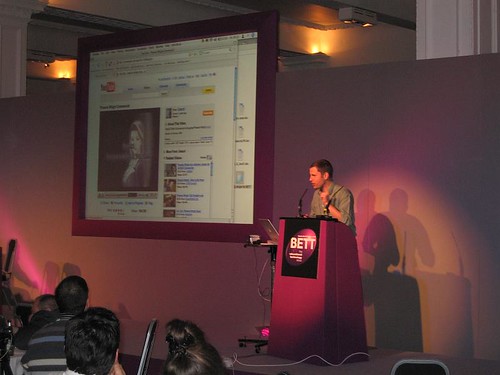
Max Wainwright from 2Simple shows 2DIY for the first time


Welcome back and happy 2 oh 9. Its going to be another exciting year for Primary ICT, with even more innovative gadgets and software filling the shelves of this weeks BETT show. And as always Redbridge ICT people will be carrying on the innovation and consolidation of good ICT Tech and Teaching

In this weeks issue:


Diary Dates
Primary Review Initial thoughts
Begin the year with a blog
Redbridge Primary ICT @ BETT
In the News


Diary Dates


The following dates are on RedbridgePDC , but they may have passed you by:

  • 04 February 2009 - London MLE Show and Tell 14:00 - 1600 find out how the MLE / Fronter is being is used in London schools. Also that day for your technicians there is a MLE: Administrators' Workshop from 10:00 until 13:00 -further details and for queries please email Alex Rees


  • 11 February 2009 - Teaching the Control Element of KS2 ICT - a course lead by Gary Stevens of 147 group pm Logo, Lego and Control - a very popular, stretching and worthy course- places till available


  • 12Th March 2008 - Primary ICT Subject Leaders Meeting - Supply cover paid - an excellent, high quality day of input and hands-on learning from Nicholas, Anthony and Doug Dickinson - be there or miss out- more details and agenda to follow soon - so far we have taken 22 bookings - roughly 50% of our schools - is that you and if its not why not - why are you missing out on supply cover paid networking, cpd and up to the minute news and ICT inspiration

  • 18Th March 2009 ICT and Renewed Frameworks in Literacy lead by Rebecca Stainsby and Anthony Evans - places still available


The Primary Curriculum Review - Initial Thoughts

(note there should be a video from the Telgraph under here- be patient)


Last December saw the publication of the interim report of the Primary review, headed up by Jim Rose. This is very exciting and important for ICT as the report recognised that ICT needed to take a greater part in children's learning. In terms of ICT the report raised this and other key points,mainly:


  • The curriculum and teaching and learning has not always kept pace with children's passion for and agility with ICT


  • Many of the topics for ICT @ KS3 could move into KS2


  • There still needs to be a good balance of both discrete and cross-curricular teaching


Currently we are waiting to see what the new guidelines for ICT @ primary will look like, but by September 2011, we will be teaching a revised and a more fit for audience Primary ICT curriculum. This is surely well overdue, when you consider the publication of the QCA schemes of work for ICT was 1st of January 1998! It is interesting to note that the whole issue of 21st Century skill has been given a lot of debate around the blogosphere of late. While Rose has published his review a US document was published in 2007, that tries to categorise the skills needed for 21st Century learners. This was been put togther by Education Authorities and organisations such as Cisco, Adobe and Miscrosoft. Have a look at 21stcenturyskills.org


We will of course keep you posted with developments..


Begin the year with a blog

Many Redbridge Primary schools are dispensing with a reliance on the static polished website and choosing blogging as a means of quick publishing of news and events. This is in line with the advice that both Redbridge Primary ICT and Mina Patel from the LGFL give. We recognise that the Digital Brain Platform can be difficult and cumbersome to use as a platform to publish regular weekly class or whole school news, and therefore one model is to have a website as a sort of E prospectus, alongside a school blog, for weekly and even daily updates.

Some schools have taken this even further and are experimenting with blogging as a way to engage children with writing through commenting on each others ICT or Literacy work.

Look at the examples below and consider whether your school would benefit from having a blog, speaking as a regular borough and personal blogger I find it a far easier and quicker way of publishing news than a conventional website.


Examples

The definitive Redbridge school blog is run by Fairlop Primary, where every class has a blog linked to the main school blog. Parents at the school look forward to the regular news updates. The school news comes in the form of either images, videos, text or links to the school podcasts. Through embedded widgets in this website they are able to track their readers from across the globe.

Have a look at Fairlop blogs here


A new blog on the block comes from John Bramston Primary, which started last term. It is a packed site, with regular updates, which include both images,text and video. Alongside the main page of whole school news, there is also a individual class pages, which cover such topics as 'Star of the Week' and a description of the Literacy that has been covered.


See the example below, where the class combined science and literacy to look at changing materials through recipe instruction writing.


I am sure you'll agree the blog is a great way of creating better home school links, as children now have an easier way to answer the question, 'What did you do @ school?' - now they can guide their parents/carers mouse to the answer.

There are other schools worth looking at as an example of what your blog may look like, these are:

Oakdale Junior

Parkhill Junior

Gearies Infants


Ripple Junior in Barking and Dagenham was shown to us at a recent Consultant meet- Gillian from B and D showed us a Blog that wasn't just about news sharing but used the commenting function to promote writing and editing. Have a look at the sidebar guidance for children on how the teacher would like the pupils to write using standard English.

Have we forgotten you ?

Give me your blog address, name and school, and we'll include you in our next issue:


Cleveland Blogs Buzz


By far one of the most exciting schools blogs to come to my attention recently has been the Cleveland Junior school blogs. Here the children are really participating by using the comment function and judging each others entries in online animation competitions. The school is also facilitating it's own safe online chat room, which is proving a very popular online hang out and place where children can share tips and ideas for animation. What's more children are using this as a place for friend sourcing and those that might not find talking to others in school very easy, are instead finding the online room a safer and easier place to talk. I recently visited the school and used my Flip to record Anjum and Simon (network manager) describing how they have been using both the blogs and the chat room and how the children have responded.


Fancy making your own blog click here

Redbridge P ICT @ BETT

This week we will be at Bett, Nicholas and I are there on Friday, and you may also see me on a certain stand on Saturday. We have a rough itinerary as follows:


  • Visit the RM stand and the Steljes stand to see an Interactive Table- The RM stand will have real children using the Microsoft Surface There will also be other gadgets and tools and we want to talk to the children, not the sales reps about their value - stand D60

  • We will of course visit the Fronter stand to talk about how schools are using the London MLE stand K9

  • Each of the main IWB platforms deserve a visit and I am keen to see the Activ Expression from Promethean in action - stand B30

  • The Net book is the device to have at the moment, but which is the best model for a primary school and should one buy Linux or Windows, Fizzbook or Asus- the Microsoft stand features a giant wall of Netbooks and other suppliers like Tag learning will be showcasing robust netbook, designed for the classroom. We'd like to see as many as we can in order to be better informed. see the Microsoft stand at D40

  • The 2Simple Stand will showcase new French Software and 2DIY - games and electronic drag and drop making software. see my film of 2Diy on my blog here and visit the stand on F59

One of the high points of Bett will be Teachmeet - last year this event inspired us to run our own successful event at Redbridge and begun our exciting work with Asus devices and games consoles. It was here that Nicholas and I heard Derek Robinson talk about his work in Scotland with the Nintendo and Brain Training.

Who knows what we'll learn form the mini and nano presentations and in the networking with great ICT minds.

TeachMeet


Redbridge ICT in the News


This week Redbridge Primary schools have appeared in the Wanstead and Woodford Guardian for their work with Nicholas Hughes on Video Conferencing - read more here... Nicholas's work builds on the long established tradition of Video Conferenicing in the borough pioneered by Alison Seagrave at Parkhill and others. Long may it carry on.

Other media stars of the moment include our very own Lynn Bailey from Redbridge Primary in the December edition of 'Sharing Good Practice', the weekly ICT magazine. (Heat magazine for Geeks)


Lynn wrote about a mini digital USB microscope and how she and others had used it across the school.

Read the article below and if you haven't already, then sign up to receive the weekly edition of Sharing Good practice.

SGP52


Thursday, 25 September 2008

Leadership Model /Updates/ Teachmeet & News

South Park in the dark

Welcome to another ICT Update
In this issue:

  • Flickr pool of Redbridge Images
  • HMI validate Nintendo research
  • A different model of ICT Leadership
  • Feedback
  • TeachMeet Scotland

Welcome to another entry from Redbridge Primary ICT. This week (amongst other things) I have spent an evening at a secondary school in Havering where Penny Patterson from Havering, gave a very interesting talk to parents on E Safety. 

Penny's talks are always excellent, using just the right balance of practical advice, warnings and an emphasis on the positive benefits of the Internet for today's children. Some Redbridge Head teachers will have been along to the LGFL E Safety Conference, which Penny organises each year. These events feature speakers from BECTA and CEOP and are a good way to get a balanced picture of the issues around ESafety. Watch this space for the date of the next Esafety conference.

I have also spoken to Headteachers this week at the forum meeting. We looked at Photosynth, AB tutor, policys, IWB use and I mentioned the Redbridge Film awards, which will be launched next month. Heads were shown a brief overview of Windows Movie Maker

One site not mentioned, that enables teachers and pupils to grasp many of the more technical aspects of cinema and how this is aligned with the curriculum is Film Street.com.

Leading Teachers have also looked at Photosynth this week and have created an Ilford Synth. We looked again at the work of Tim Rylands and his work with Myst. It struck me and others, that what using an on-screen 3d environment does is it gives the class a shared vocabulary and experience that they can use to write from, without having to rely on memory. 

Surely Photosynth is an excellnt visual tool for both many EAL and SEN children who need a big visual scaffold to kick start their writing.

This was a clip we watched of Tim Rylands using Myst,originally shown on Teachers TV:


Flickr Pool of Redbridge Images
Flickr is a community of photographers of all abilities, who share their photography online. Users who share a similar interest or location often form groups to share their images in a group 'pool'.

We have such a pool in Redbridge, and it contains a diverse range of photographs, everything from fly tipping to spooky forest landscapes. Many of these images could be used in Literacy or Geography.

http://www.flickr.com/groups/redbridge/pool/
(please note I would not recommend children search for images on Flickr)

Nintendo Brain Training HMI work with LTS Scotland to validate research

Our own small scale work with theses devices has moved onto another of our shools, and we look forward to hearing about how this has had impact on learners. While in Scotland, HMI and Learning and Teaching Scotland have worked together to evaluate the impact of children using these devices. The BBC carried the story today and we are told that in the study of 600 pupils in 32 schools:

  • There were improvements in concentration and behaviour
  • The children who played Brain  Training for 20 minutes each day improved their Mental Maths score by as much as 50%
  • The time taken to complete the tests decreased
  • There was no difference or benefit in using the game at home
  • Less able children were most likely to improve 
  • The study also found an improvement in attendance and a decrease in lateness

Another model of ICT leadership

One of our leading teachers is able to manage the huge role of ICT coordinator in her large  busy primary school in an interesting and effective way. Anca at Highlands primary leads ICT, and a team of advocates or representatives of the subject who champion and promote ICT enthusiastically in their year groups. This model definitely works and the impact and innovation don't just stay in the hands of the ICT Coordinator. Anca told us about her work this week in leading teachers, see the video below:


Feedback - Using Google Forms

This week in Leading teachers we looked at Google forms, part of Google documents. They offer the teacher a very versatile tool as they allow the creation of quick and easy surveys. Once created, the webaddress for the survey can be shared and dat can quickly be captured by a teacher for:

AFL - asking children how well they understood or what they would like to know next
CPD evaluations following staff insets or for just generally gauging staff opinion on an issue or school based initiative
Literacy units in Key Stage 2, which ask children to survey their peers about significant authors

I am using a Google form this week to find out about the Internet habits of a class I am working with on Internet Education.  I am sure we can think of many uses for this new tool, however by far the greatest thing about Google forms is that they can be embedded in a blog, see below.  

Please take 2 seconds to complete the survey below and we will display the results in next weeks blog post:

Note this is anonymous


Teachmeet Scotland
Last night was Teachmeet @ the Scotish learning Festival, which had echoes of the last Teachmeet which we held at the Teachers Centre back in Summer term. Teachmeets are gatherings of teachers who come to share about how they are using technology creatively within Teaching and Learning. They are usually organised by both word of mouth and social networking tools.

Unfortunately I was not able to fly up to the event, but our own John D'Abbro was there presenting his work with Becta, and Nicholas attended virtually through Flash Meeting. ( A  sort of video conference) 

The great thing about Teachmeets is the sharing and equality, you can attend and speak or just come and listen, or attend online. Either way you come away with a head full of ideas and web links. 

Nicholas has written an article of his impressions of Teachmeet here and if you want to watch the whole event you can see a playback here.

News you might have missed:

This from BBC news:

Low-income homes to get net links

Parents on low incomes who have not provided their children with computers and internet access will get "vouchers" to do so, the government has said.

The scheme to tackle England's "digital divide", available nationally in a year's time, will cost £300m.

It will cover broadband access, software and computers if necessary.

read more here

Teachers' details on missing disk

A computer disk containing the names and addresses of more than 11,000 teachers has gone missing in the post.

The General Teaching Council (GTC) said in a letter to teachers that the disk went missing after being sent via Parcelforce to its Birmingham office.

read more here


Friday, 5 September 2008

Updates week 2


'Beebot Island'- a display in Fullwood Primary

I hope you have had a good first week back. The week immediately after summer is often fraught with technical difficulties and paper jams in the IT room as new peg labels, timetables and Literacy Plans churn out of the printer.

Thank you for the emails and news sharing this week. I have enjoyed seeing new ICT rooms in some schools, fresh displays in others and of course teachers who are keen to show their new class new software.

I went to Fairlop Primary this week to talk about the Asus machines and I am keen to see how they get on when Key Stage 2 take these with them to Glasbury. The children will be using these mini notebooks to create diary entries of their week, using Open Office software. They may even use the small but formidable web cams to shoot mini clip videos or stills for the Fairlop blogs. We look forward to the blog posts later this term.

-------------------------------------------------------------------------------------------------

In this issue:

Welcome to our New Adviser for ICT
Events
Institute of Education Primary ICT Conference
A Redbridge school at the National Handheld Learning Conference

Whiteboards
SMART Notebook -are you 10 yet?

Focus on :
Photosynth
Spelling City

Welcome to our New Adviser for ICT

Alex Rees joins the Redbridge school improvement service from a secondary teaching background taking up the post of School Improvement Adviser (ICT). Prior to teaching he enjoyed working in the IT projects team at the Barnardo's Head Office in Barkingside, but once qualified as a mathematics teacher he has held a variety of teaching and ICT management roles across Essex. These roles include being Director of Faculty at Greensward College; ICT Coordinator at a large KS1-KS5 independent school; and Director of eLearning in a secondary comprehensive school.

He has successfully lead project management teams on implementing VLE's, building new ICT-rich school facilities and embedding data management solutions. Alex has also acted as an independent consultant for a number of secondary schools and related organisations including the SSAT. Alex lives in Maldon on the Essex coast with his wife and their 8 month old baby and enjoys making music, playing football and sailing dinghies to relax.


Events

Thank you to Bob Drew for passing on the details of the

Institute of Educations ICT Conference:
Dream or Virtual Reality

A one day conference organised by the school of early Childhood and Primary Education, Insitute of Education and the London Knowledge Lab.


19th November
@ the Jeffery Hall
9:00 am- 4:00pm
The programme includes the following research informed talks:

  • 'Children's learning in the age of digital media' by Professor David Buckingham
  • 'Children's perspectives on 'out of school/in school' ICT 'by Dr Neil Selwyn
  • 'How Effective is Cool? - Learning through mobile technologies'- Professor Rosie Luckin

There are also 'Learning Conversations' led by Primary Practitioners focusing on innovative use of ICT, as well as Lunch, an exhibition and a Bookshop.

Further details from Sue Grant from the Institute or call 02076126588

There is also the Hand Held Learning Conference next Month from the 13th to 15th of October @ the Barbican, click here for further details, we are proud that our own Dawn Halybone form Oakdale will be representing, read on...


Nintendo DS Project to Feature @ International Conference

Dawn Halybone tells us about her participation at the Handeheld Learning Conference next month. She writes,

Very exciting news following the use of the consoles at Oakdale. During the Summer I was asked to submit a paper for consideration to speak at the International conference for Hand Held learning to be held at the Barbican from Oct 13-15th! The paper was accepted and I have been asked to speak during one of the break out sessions on the Tuesday. The session is entitled 'Game On' and is sponsored by Nintendo, it is being chaired by Chris Deering, former President of Sony Computer Entertainment and will focus on the questions:Do games consoles and off the shelf games titles have a role in learning?How game-based learning is challenging all the rules? The conference so far has 1000 delegates, 150 confirmed speakers and 50 exhibitors, so will be an amazing opportunity to showcase the work that we are doing in Redbridge!

SMART Notebook 10

Many of you who use a SMART Board will be switching to Notebook 10. This is the biggest update from SMART for a long time and includes some long sought after features and some old favourites made easier. For instance you can now finally include tables within a SMART Notebook, while the magic pen allows you to easily focus on, magnify and highlight an area of the screen. Expect to see demonstrations of these features over the next few weeks here on this blog, but in the meantime, here are some helpful tools we have found on the web to introduce your staff to what's new in 10:

Focus on

This week Nicholas and I have found two free apps which we think will make your whiteboard zing.

Spellingcity.com

This is an excellent resource for teaching the weekly spelling list, which children often slavishly copy into their books on Monday morning. Teachers can post spelling lists online, which the class can then locate on the spellingcity website. They can then play games and/ or do an electronic version of Look/Cover Write Check, all before they complete a test. The test is marked and the site identifies which of the spellings the student got wrong. For more on this, watch our mini clip below, and take a look your self @ http://www.spellingcity.com/

Photosynth

Photosynth is a new tool from Microsoft, which I think is the new Photostory 3, in that it is easy to use and has the 'wow' impact in the classroom. Though I must stress Photosynth is not a musical slideshow tool.

With photosynth you upload a batch of images you have snapped of an object, scene or object and then let Photosynth use it's new technology to analyse the photographs and look for reference points. It then matches these points and stitches the images together. The result is a panorama of an area, that can then be magnified in a style very similar to Google Earth.

The applications for classroom use of this tool are huge, this could mean a new way into story writing, where children and teacher explore an area such as the spooky woods in 3d, before describing the setting in their books. There could also be application of this tool in Geography or school journey, every child could take an image or images of the same are of the Zoo, London, Shopping area etc in order to create a class synth.

Watch the video below and visit Photosynth.com to begin making your own. Once you have done this, you will be able to view those made by Nicholas and myself, at the foot of this entry.


Tuesday, 26 August 2008

ICT Updates from Anthony and Nic


Welcome back, after what I hope has been a very good break, and if the Facebook status from some are anything to go by, then many of you have rested and relaxed very well indeed.


Image from Flickr- Felix-Le-Chat

In this Issue:

Courses and Events:

  • New TA Course
  • Black History Month
In the News:

  • Face Recognition Software

  • Youtube content questioned by MPS
Planning Support:
  • "Redbridgized" Newham Plans including SMART Notebooks now Ready!

Focus On:

  • Flip Video

  • Usonline Esafety Resource

New TA Course

Redbridge Primary ICT recognise the huge role that Teaching Assistants play in both enabling children to overcome barriers to learning, and the many tasks they carry out to relieve teachers admin burden. Proficiency in school specific ICT can greatly improve the efficiency and efficacy of a Teaching assistant and experience shows that these skills and confidence spread quickly.

With these considerations in mind, we have put together a course for Teaching Assistants on school based ICT, aimed at those who have moved just beyond beginners stage in using computers in school. The course will involve one day of each half term from 08/09 and participants will need to complete a school based gap task. We will also require TAS to complete an ongoing electronic portfolio of their work, leading to the award of a certificate. There is an expectation is that delegates attend all six sessions, a charge may be incurred if sessions are missed.

Details of this course has been emailed to all Primary Head Teachers this week and we have already had interest. Please speak to your Head Teachers/ CPD coordinators about the course, which is not available via redbridge PDC.

Black History month @ Redbridge

BHM Primary School Video Conference – October 1st 2008

The London Grid for Learning, working in partnership with Redbridge Ethnic Minority Advisory Team and the ICT team, would like to invite primary schools to take part in a video conference during Black History Month showcasing People of Achievement past and present – on October 1st from 8.50 am - 12.45pm.

To find out more about the recently updated programme go to www.blackhistory.lgfl.net
LGfL are streaming the morning event live via the Internet too and pupils will have the opportunity to ask questions via an online forum – so all schools can potentially take part! Register now at: www.events.lgfl.net

If you want to be involved - that is if you want to watch the live stream, then you have to register on www.events.lgfl.net- you will then be sent a URL. Please also note, you do not have to have Video Conference Equipment to take part as viewers of this event, just a projector and the URL from Mina Patel!

In the News

New Report on Youtube and Inappropriate Content

MPs are calling for sites that host videos and images, such as Youtube to improve the way they deal with inappropriate and harmful content. They do not accept that it is not possible to screen all of the videos that are posted and want the speed of 'taking down' of a violent or pornographic clip to be greatly increased. They also say there should be clearer guidelines for user on what is acceptable for them to publish.


Lets watch this space to see how the UK Council for Internet Safety responds.


You can read the report from the Culture Media and Sport Committee here


Though if you are in a hurry, then read the Telegraph article here

ICT in the world around us - have you seen?

Face recognition @ Airports - a good example of an ICT Control System, which 'monitors events and responds to them'- see Key Stage 2 ICT Curriculum


Direct Link to video here


Planning Support:

Newham Updates and adaptions


Over the summer we have worked very hard to adapt and change the Newham Scheme of Work into a Redbridge friendly format. Thanks to Gill Web at Chadwell Primary for her initial hard work on these conversions. Detailed below is a breakdown of the changes that have been made to the scheme. Should you wish to obtain the Smart Notebooks and adapted plans then please email tina.pennells@redbridge.gov.uk for a DVD. If you have any queries about the plans please email Anthony or Nic.


  • Conversions from Activ Primary to Smart Note Book - All units from year 1 to 6 now have a Smart Note Book File. Please note you will need Notebook 10 and an updated gallery including Lesson Activity Toolkit to use these files. To download Smart Notebook 10 click here.

  • All Creating Pictures units have been updated to use 2paint and picture and Artrage. Artrage is free and was recently demonstrated by Ian Connor and Subject Leaders. Click here to download.


  • All Giving Instruction units have been updated to use Focus on Beebot and FMSLogo (MSWLogo). FMSLogo (MSWLogo) is free, click here to download.


  • Handling Data in year 1-3 have been updated to use 2Simple programmes such as 2count, 2graph and 2investigate.
Considerations

  • Please note that we do not entirely endorse the Newham Scheme of Work or the software listed above. However we feel that many of the units are worth using as they present ICT in a meaningful context, and have clear progression. Furthermore for the busy coordinator there is ample support material, such as help sheets and videos.

  • Please remember there are the Internet units created by the Leading Teachers which have been tried and tested in schools as an additional resource.
Focus On
Flip Video Recorder


The Flip is one of a growing number of budget pocket sized video recorders. The name flip comes form the pop out USB plug in the base, which makes plugging in and retrieving the video a doddle. I had a play with one of these recently and was very impressed with quality of the video and ease of use.


What makes these ideal for Primary is their simplicity, it has been described by Web User as 'possibly the easiest Camcorder to use'. My own experience and anecdotes from friends who own this device would bear this out, comment like 'even my mum could use it' prove how intuitive this device can be to operate. On the back of the device is a large red record button, press it again to stop. Press play to view your work and bin to delete. Sound Familiar - yes this simplicity is a similar claim made about the Digi-Blue some some time ago, but with this device there is no awkward plug and play issues or device not found errors. Its similarity to an Ipod or mobile phone also gives it that Year 6 appeal and therefore gives progression and credibility to film work in upper Key Stage 2, as by this time using the same blue camera you used in nursery is slightly embarrassing!

Details:
Powered by two AA batteries
Cost: Around £84
Capacity: 2GB Memory meaning
Software- pre-installed simple editing software (though you could of course use Movie Maker)that allows output to the computer or Video Sharing Sites like Flickr,

Where do I buy this?
Tag Learning

Note
During Next Subject Leaders Meeting I have asked Tag Learning to bring along a number of these Devices to show us.

Other Cameras similar to the Flip do exist and are being released all the time, one such camera is the Creative Vado


Usonline

This is an excellent Esafety Resource by ROAR education, which is hosted on the London Grid for learning. Subject Leaders voted this the best ESafety Resource during the July meeting, this was based on ease of use and clarity of message. I recently taught some classes with these activities and it really made the children think about how they present themselves online. The only downside of this resource was that in order to use it, you need to log on with your LGFL user name and password. Also at times the computer suite I was working in struggled to cope with all 30 children using the website, we have not got to the bottom of why this is yet. A way round this might be to use this in groups or as a whole class whiteboard discussion activity.

Here are Nicholas and I talking about USonline


Visit http://www.usonline.lgfl.net/


or http://www.roareducate.co.uk/

Last Minute Links:


We tell Stories- a Penguin Books site, where six popular authors have created story interactive story frames that make use of Internet technology to create narratives. The Fairy Tale story looks like the most Primary Friendly. - Thanks Simon for this link!


My.Deco.com This site allows you to plan a room in 3d in the way that you do in the Graphical Modelling Unit for Year 5 - see Unit 5A to refresh your Summer weary memory. What I like about this site is that the furniture cost can be calculated and the site uses products from IKEA, John Lewis etc.